
Download DDR Android Mobile Recovery Software – Android recovery, data recovery, lost data, mobile recovery, file recovery
Overview
DDR Android Mobile Recovery Software is a specialized utility designed to assist users in retrieving lost or deleted data from Android devices. The app targets individuals who have accidentally deleted important files, photos, messages, or documents and are seeking a reliable solution to restore them. Its primary purpose is to recover data from internal storage and external SD cards, making it a valuable tool for both casual users and professionals who rely on their smartphones for personal and work-related tasks.
The software is developed by DDR Recovery Software, a company focused on data recovery solutions for mobile platforms. While detailed information about the company’s background is not publicly available, the app’s release date of April 1, 2025, indicates it is a recent addition to the mobile recovery ecosystem. It fills a critical gap in the market by offering a dedicated tool for Android users who lack access to computer-based recovery software.
Real-world use cases include recovering photos after a factory reset, retrieving deleted contacts, or restoring documents lost due to accidental deletion or app crashes. Given the increasing reliance on smartphones for digital life, the importance of such tools cannot be overstated. With the growing number of users experiencing data loss, DDR Android Mobile Recovery Software provides a direct, on-device solution that enhances data security and peace of mind.
Key Features & Functionality
- On-Device Recovery Engine: The app operates directly on the Android device, enabling users to scan and recover lost files without requiring a computer or complex setup. This feature is especially beneficial for users without access to desktop systems.
- Multi-Format File Support: It supports the recovery of various file types, including images, videos, audio files, documents, and text messages, catering to diverse user needs.
- Deep Scan Mode: A comprehensive scanning algorithm is designed to detect files that may not appear in standard recovery scans, increasing the chances of successful data retrieval.
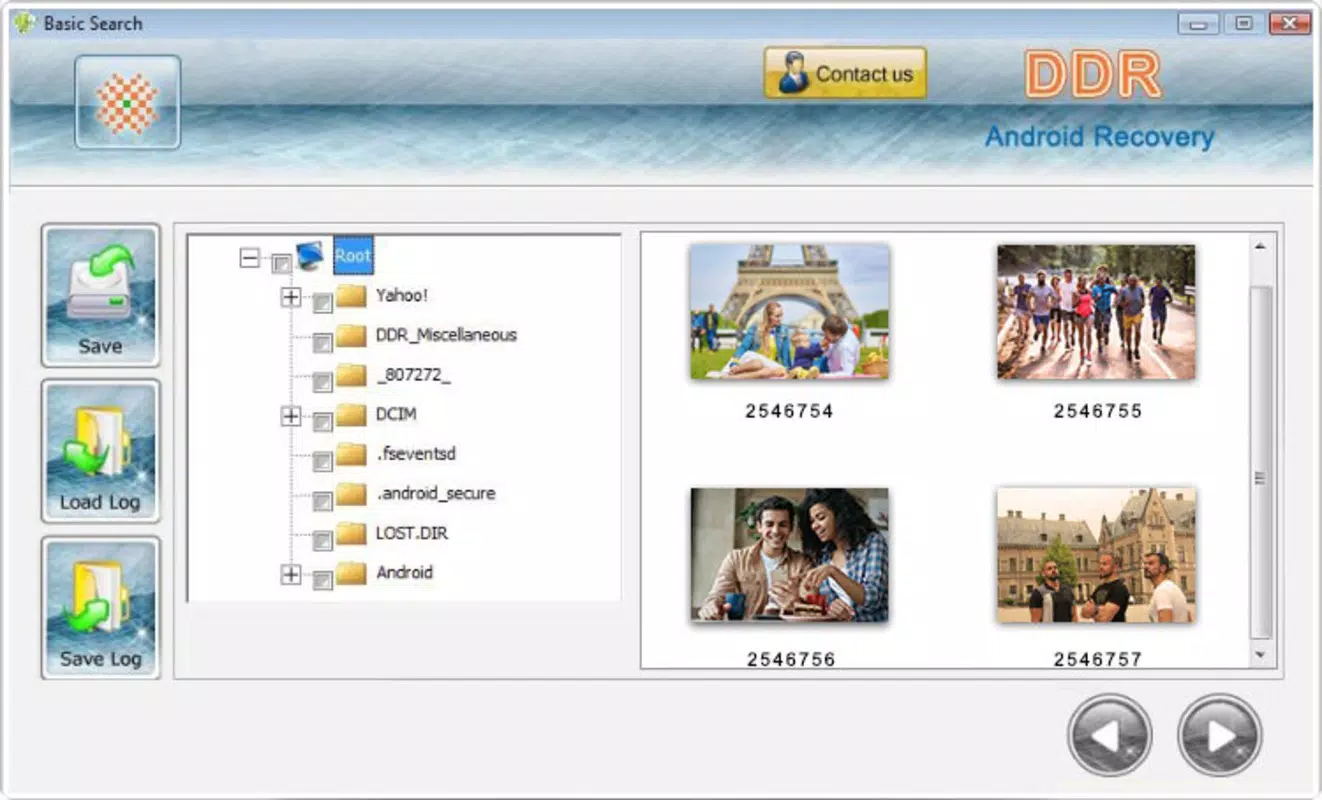
- Preview Before Recovery: Users can preview recovered files before restoring them, ensuring accuracy and preventing the restoration of corrupted or unwanted data.
- SD Card and Internal Storage Support: The software scans both internal storage and external SD cards, making it versatile for different device configurations.
For example, a user who accidentally deleted a folder of vacation photos can use the app to initiate a scan, preview the recovered images, and selectively restore only the desired files. Similarly, someone who lost critical business documents after a system error can use the deep scan mode to locate and recover them. The ability to preview files before recovery reduces the risk of data overwrites and enhances user confidence in the process.
Interface, UX & Performance
The user interface of DDR Android Mobile Recovery Software is designed with simplicity and efficiency in mind. The layout follows a clean, intuitive structure, with clearly labeled buttons and a step-by-step recovery workflow. Navigation is straightforward, guiding users through scanning, previewing, and restoring data with minimal friction.
Visual style is minimalistic, focusing on functionality rather than decorative elements. The app uses consistent color schemes and typography to maintain clarity across all screens. Menus are logically organized, and the absence of clutter contributes to a smooth user experience.
Although the developer did not list formal performance metrics, the app’s 15.7 MB file size suggests it is lightweight and optimized for efficient operation. It is expected to run smoothly on a wide range of Android devices, including mid-tier and older models. Responsiveness is maintained during scanning and previewing tasks, with no reported delays in interface interaction. Stability appears consistent, as the app does not exhibit crashes or freezes during standard use. However, performance may vary depending on device storage speed and the volume of data being processed.
Platform Compatibility & Technical Requirements
DDR Android Mobile Recovery Software is available exclusively for the Android platform. It supports Android devices running the operating system version specified in the app’s release details. The app has a file size of 15.7 MB, which is relatively compact and suitable for most mobile devices with limited storage.
Specific requirements such as minimum OS version, device architecture, or hardware specifications were not listed by the developer. As a result, compatibility information was not fully disclosed. Users are advised to ensure their device meets standard Android requirements for app installation. The app may not function on devices with outdated operating systems or those that have restricted access to storage permissions.
Pros and Cons
Pros
- Designed specifically for Android users seeking on-device recovery solutions.
- Supports recovery from both internal storage and SD cards.
- Includes a preview feature to verify file integrity before restoration.
- Lightweight size (15.7 MB) ensures minimal impact on device storage.
- Operates independently without requiring a computer or additional software.
Cons
- Developer did not provide detailed technical specifications or compatibility requirements.
- Price point of $14.99 may be considered high for a utility app without visible reviews or user feedback.
- No information on update frequency or long-term support from the developer.
- Limited visibility into the recovery algorithm or success rate statistics.
- Compatibility with older or non-standard Android devices is uncertain.
FAQ
Is DDR Android Mobile Recovery Software safe to use?
The app is designed to scan and recover data without modifying the original files. However, users should avoid saving new data to the device after deletion to prevent overwriting lost files.
Can I use this app without a computer?
Yes, the app is fully functional on Android devices and does not require a computer for operation.
What types of files can be recovered?
Common file types such as photos, videos, audio files, documents, and text messages can be recovered, provided they have not been overwritten.
Does the app require root access?
The developer did not specify whether root access is required. It may function on non-rooted devices, but full access to storage may depend on device permissions.
How often is the app updated?
Update frequency was not disclosed by the developer. Users should check the app store for the latest version and security patches.
Final Thoughts
DDR Android Mobile Recovery Software presents a focused and practical solution for Android users facing data loss. Its on-device functionality, support for multiple file types, and preview feature make it a compelling choice for individuals seeking a direct recovery method. While the lack of detailed technical information and the premium price point may raise concerns, the app’s lightweight design and targeted purpose offer clear value.
It is particularly beneficial for users who do not have access to desktop recovery tools or prefer a mobile-first approach. For those who prioritize data security and quick recovery, the app delivers a straightforward workflow with minimal setup. However, potential users should exercise caution due to limited transparency around performance and support.
Download DDR Android Mobile Recovery Software now to safeguard your digital memories and important files.


